
System Requirements
LicenceForge is designed to run on a standard WordPress hosting stack. This page lists all required and recommended dependencies for both the server plugin and the client library that ships with your licensed products.
Server Plugin Requirements
These requirements apply to the WordPress site running LicenceForge (your license server).
Core Requirements
| Component | Minimum | Recommended | Notes |
|---|---|---|---|
| WordPress | 5.8+ | 6.4+ | Defined as WPLF_MIN_WP_VERSION. The plugin checks this on activation and displays an admin notice if unmet. |
| PHP | 7.4+ | 8.0+ | Defined as WPLF_MIN_PHP_VERSION. The built-in health check reports a warning if running below PHP 8.0. |
| MySQL | 5.6+ | 8.0+ | Required for JSON functions used in analytics queries (JSON_EXTRACT, JSON_UNQUOTE). |
| MariaDB | 10.1+ | 10.6+ | Alternative to MySQL. JSON function support was added in MariaDB 10.2. |
Note
LicenceForge performs version checks on activation and again during the plugins_loaded hook. If requirements are not met, the plugin will display an admin notice and stop loading -- it will not break your site.
PHP Extensions
These PHP extensions are used by the server plugin:
| Extension | Required | Used For |
|---|---|---|
openssl |
Yes | AES-256-CBC encryption of Stripe keys and S3 secrets at rest (WPLF_Crypto::encrypt_option) |
json |
Yes | REST API request/response encoding, webhook payload handling |
hash |
Yes | SHA-256 hashing of license keys, IP addresses, download tokens, and ZIP integrity checks |
mysqli |
Yes | WordPress database driver (required by WordPress itself) |
curl |
Recommended | Used by wp_remote_request for Stripe API calls, health check self-tests, and S3 operations |
Disk Space
If you use local storage for plugin ZIP files, ensure your server has adequate disk space. The built-in health check monitors free space and reports:
- Warning when free disk space drops below 500 MB
- Error when free disk space drops below 100 MB
For S3-compatible storage, disk space is only needed for the plugin itself (roughly 5 MB).
WordPress Cron
LicenceForge relies on WP-Cron for background tasks including license expiration, webhook retries, and data cleanup. If your host disables wp-cron.php or your site receives low traffic, set up a real server-side cron job:
*/5 * * * * curl -s https://yoursite.com/wp-cron.php?doing_wp_cron > /dev/null 2>&1Optional Integrations
These plugins and services are not required but unlock additional features when available.
| Integration | Minimum Version | Purpose |
|---|---|---|
| WooCommerce | 6.0+ | Automatic license creation on order completion. Supports order processing and completed statuses, refund handling, and license display on the thank-you page and order emails. |
| WooCommerce Subscriptions | 4.0+ | Maps subscription lifecycle events (active, on-hold, cancelled, expired, renewal) to license status changes. |
| Stripe Account | -- | Direct Stripe integration via webhooks for payment processing, subscription management, and automatic license provisioning without WooCommerce. |
Tip
You can use LicenceForge without any payment integration. Licenses can be created manually from the admin dashboard -- useful during development or for free products with activation limits.
Client Library Requirements
These requirements apply to customer sites running your licensed plugin/theme with the WPLF Client Library embedded.
| Component | Minimum | Notes |
|---|---|---|
| WordPress | 5.0+ | The client library uses standard WordPress HTTP API functions (wp_remote_request) and transients. |
| PHP | 7.4+ | Uses typed properties and return types. |
| Outbound HTTPS | Required | The client must be able to reach your license server over HTTPS to validate and activate licenses. |
Client Library Encryption
The client library encrypts stored license keys using the best available method:
- Preferred: libsodium -- Uses
sodium_crypto_secretbox(XSalsa20-Poly1305). Built into PHP 7.2+ and bundled with WordPress 5.2+. No additional installation required on modern stacks. - Fallback: XOR cipher -- If libsodium is not available, the client falls back to a simple XOR-based cipher. This provides obfuscation but not cryptographic security.
Warning
The XOR fallback is significantly weaker than libsodium encryption. If your customer base includes sites running PHP versions without libsodium support, recommend they upgrade. All modern PHP 7.2+ installations include libsodium by default.
The encryption key is derived from the WordPress AUTH_KEY constant via SHA-256 hashing, truncated to 32 bytes. This means:
- Each WordPress installation has a unique encryption key
- Customers should ensure their
wp-config.phphas unique authentication keys (not the default placeholder values) - If
AUTH_KEYchanges, stored license keys must be re-entered
Hosting Recommendations
Since your license server handles API requests from every customer site, hosting performance matters more than for a typical WordPress site.
Small Scale (under 500 licenses)
- Standard shared or managed WordPress hosting
- WP-Cron via page views is typically sufficient
- Local ZIP storage works fine
Medium Scale (500--5,000 licenses)
- VPS or managed WordPress hosting with dedicated resources
- Server-side cron recommended
- Consider S3 storage for ZIP distribution
- Object caching (Redis/Memcached) improves API response times
Large Scale (5,000+ licenses)
- Dedicated server or high-performance managed hosting
- Server-side cron required
- S3-compatible storage strongly recommended
- CDN in front of the REST API for geographic distribution
- MySQL 8.0+ for better JSON query performance
Checking Your Environment
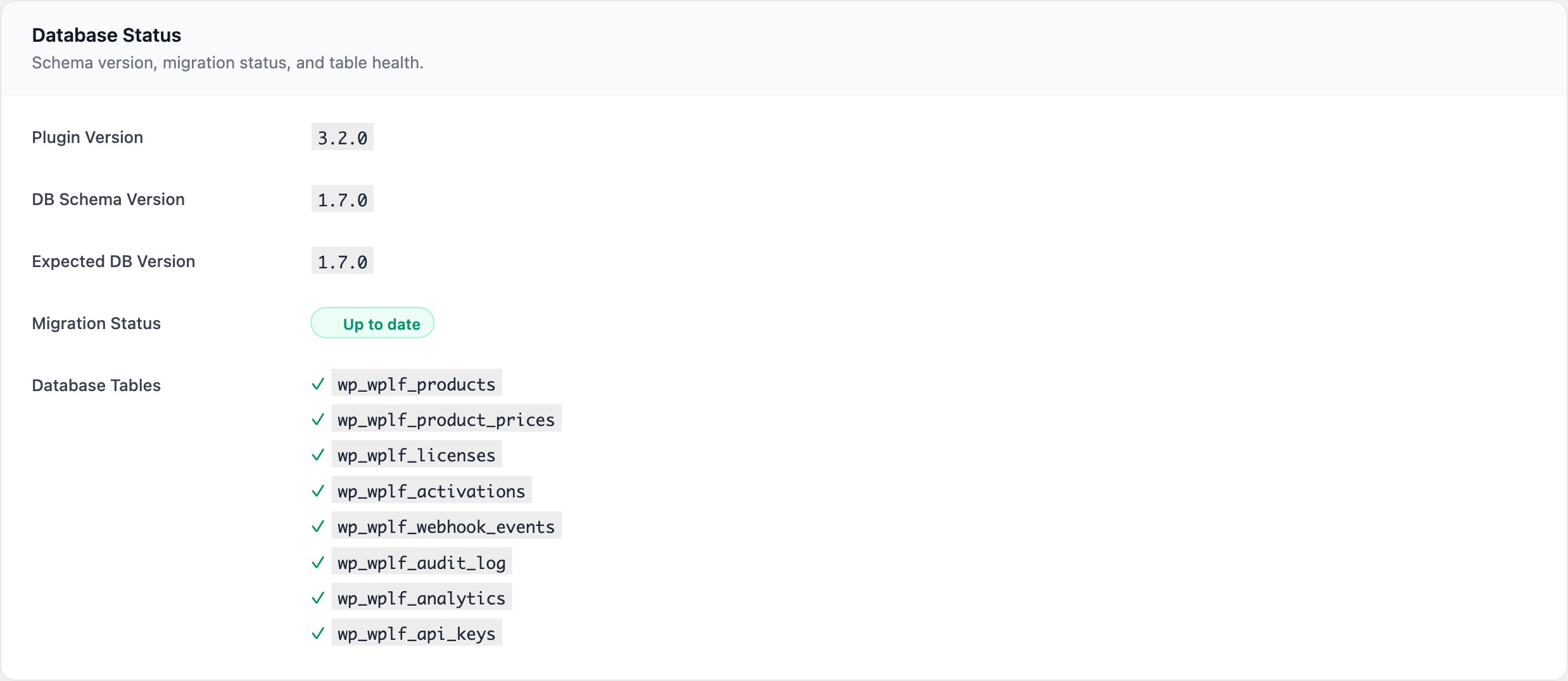
After installation, the LicenceForge Health dashboard widget and the Settings page both display diagnostic information about your environment. The health check validates:
- Cron scheduling (maintenance ran within expected window)
- Database tables (all 8 tables present)
- Webhook processing (error rates within thresholds)
- Storage availability (writable directory or S3 connection)
- REST API reachability (self-test ping)
- Disk space (500 MB warning, 100 MB error thresholds)
- PHP version (warns below 8.0)
Next Steps
- Installation -- Install and activate the plugin
- First-Time Setup -- Configure settings after installation
- Upgrading -- Upgrade from a previous version