
Dashboard
The LicenceForge dashboard is the first screen you see when opening the plugin from the WordPress admin menu. It provides a high-level snapshot of your licensing operation: key metrics, API endpoint references, recent activity, and quick-action shortcuts.
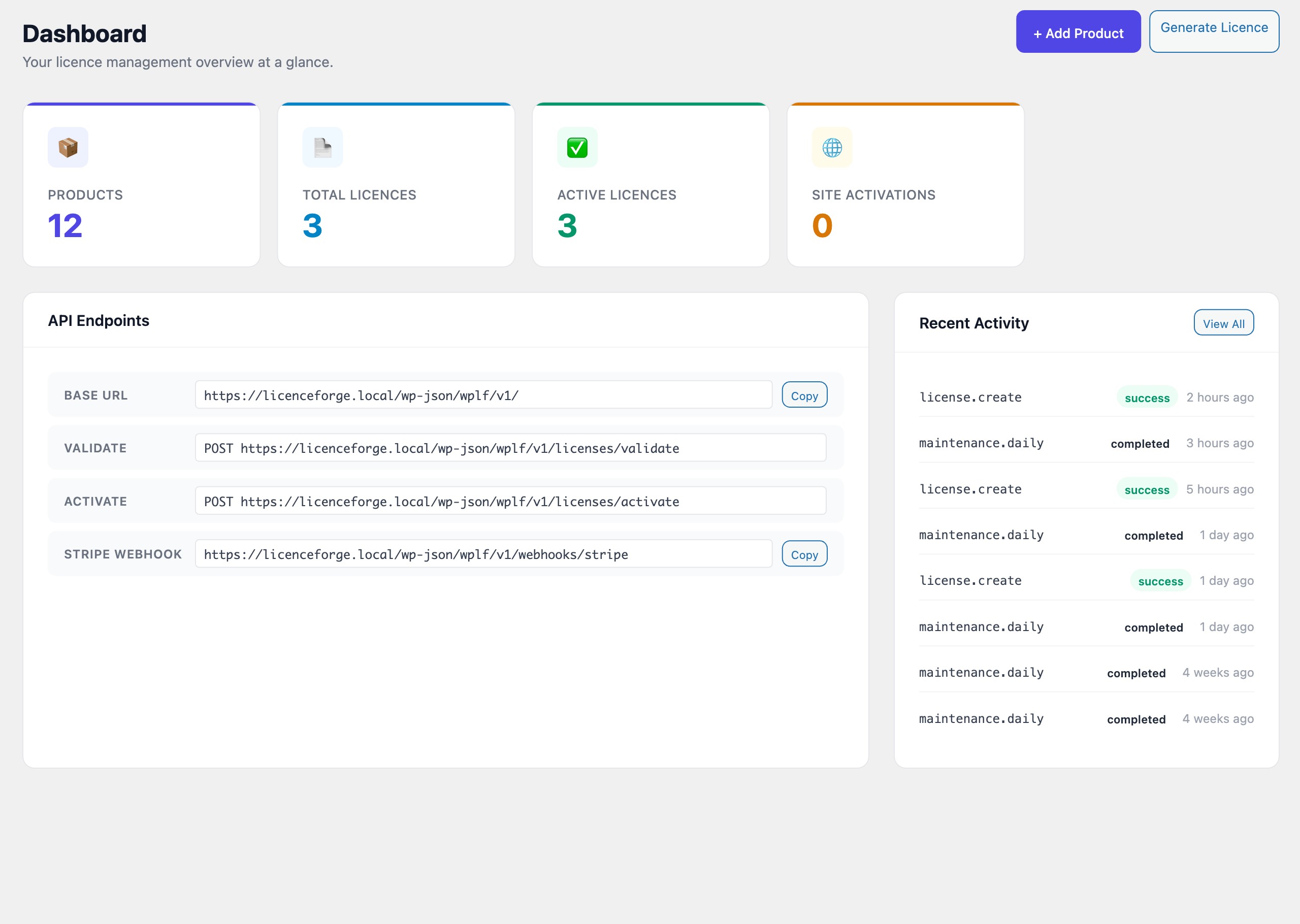
Stat Cards
Four summary cards are displayed across the top of the dashboard. Each card reflects a real-time count drawn from the wplf_licences and wplf_activations tables.
| Card | Description |
|---|---|
| Total Products | Number of registered products (active and inactive). |
| Total Licences | Count of all licence records regardless of status. |
| Active Licences | Licences with a status of active that have not expired. |
| Site Activations | Total number of sites currently activated against any licence. |
API Endpoints
The API Endpoints panel lists the REST API URLs that your client plugins and external integrations use to communicate with LicenceForge. Each URL has a copy button for convenience.
Base URL
All endpoints are namespaced under the wplf/v1/ route. The base URL is determined at runtime:
$base = rest_url( 'wplf/v1/' );
// Example: https://example.com/wp-json/wplf/v1/
Endpoint Reference
| Endpoint | URL | Purpose |
|---|---|---|
| Validate | wplf/v1/validate |
Checks a licence key's validity, returns status, expiry, and feature flags. |
| Activate | wplf/v1/activate |
Registers a site against a licence key, consuming an activation slot. |
| Webhook | wplf/v1/webhook |
Receives payment provider webhooks (Stripe, WooCommerce) to provision or revoke licences. |
Note
Copy these URLs into your client plugin configuration or payment provider webhook settings. The base URL will differ per site depending on your WordPress permalink structure.
Recent Activity
The Recent Activity feed shows the last 10 entries from the audit log. Each entry displays:
- Action — the operation that was performed (e.g.,
licence.activate,licence.validate). - Outcome — success or failure badge.
- Timestamp — relative time (e.g., "3 minutes ago") with the full date available on hover.
Click any entry to view its full details in the audit log, or click View All Activity at the bottom of the feed to open the full Audit Log screen.
Quick Actions
Two quick-action buttons are available in the dashboard header:
| Button | Action |
|---|---|
| Add Product | Opens the Create Product form to register a new plugin or theme. |
| Generate Licence | Opens the licence generation form to manually issue a new licence key. |
Admin Panels Section
The following pages cover the remaining admin panel screens in detail: