
Version Management
LicenceForge tracks the current version, download package, and changelog for each product. When a client site checks for updates, the API compares the installed version against latest_version and serves the download URL if an update is available.
Version fields
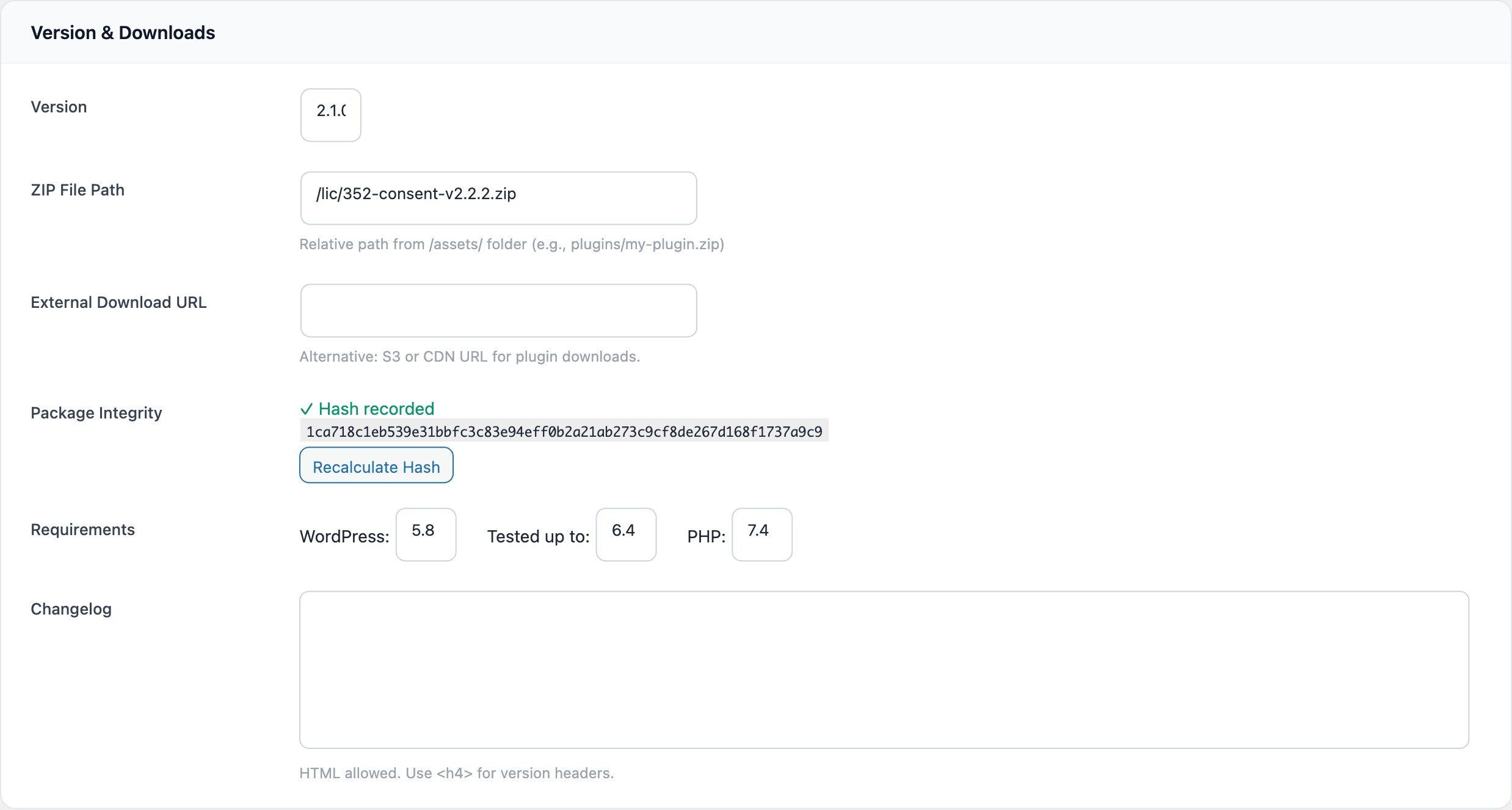
The Version & Downloads section of the product form contains the following fields:
| Field | Column type | Default | Description |
|---|---|---|---|
latest_version |
varchar(20) |
1.0.0 |
Current version string. The client library compares this to the installed version to determine whether an update is available. |
zip_path |
varchar(500) |
— | Relative path from the plugin's /assets/ directory (e.g. plugins/my-plugin-1.2.0.zip). |
external_url |
varchar(500) |
— | Full URL to an externally hosted package (S3, CDN). Takes precedence over zip_path when both are set. |
zip_hash |
varchar(64) |
NULL |
SHA-256 hash of the ZIP file. Used for package integrity verification. |
changelog |
longtext |
— | HTML changelog with version headers. Newer entries are prepended at the top. |
WordPress compatibility
These fields are returned in the WordPress update API response, allowing the WordPress admin dashboard to display compatibility information:
| Field | Default | Description |
|---|---|---|
requires_wp |
5.8 |
Minimum WordPress version required to run the plugin/theme. |
tested_wp |
6.4 |
Highest WordPress version the plugin/theme has been tested against. |
requires_php |
7.4 |
Minimum PHP version required. |
Updating a version
To release a new version:
- Upload the new ZIP file to the
/assets/directory (or to your S3/CDN storage). - Update the
zip_pathorexternal_urlfield to point to the new package. - Change the
latest_versionfield to the new version string. - Add changelog notes for the new version in the
changelogtextarea. - Click Recalculate Hash to compute the SHA-256 hash of the new package.
- Save the product.
Tip
Consider using staggered rollouts for major version updates. Start at 10-20% and increase gradually once you confirm stability.
Programmatic updates
You can also update the version programmatically via the WPLF_Product_Service::update_version() method. This automatically prepends a timestamped header to the changelog:
WPLF_Product_Service::update_version(
    $product_id,
    '1.3.0',
    'Added: Export to CSV\nFixed: Pagination on large datasets'
);
The method prepends a changelog entry in this format:
<h4>1.3.0 - 2025-06-15</h4>
Added: Export to CSV
Fixed: Pagination on large datasets
Package integrity
LicenceForge computes a SHA-256 hash of the ZIP file to verify package integrity. This hash is stored in the zip_hash column and can be used by the client to verify the download has not been tampered with.
Recalculate Hash button
The admin UI includes a Recalculate Hash button that triggers WPLF_Product_Service::recalculate_hash(). This method:
- Reads the file at the
zip_pathlocation within the/assets/directory. - Computes the SHA-256 hash using PHP's
hash_file('sha256', ...)function. - Stores the hash in the
zip_hashcolumn. - Logs an audit entry with the action
product.hash_calculated.
Warning
The hash is only computed for local files referenced by zip_path. If you use external_url exclusively, the hash will remain NULL. For external packages, manage integrity verification at the CDN or S3 layer.
Hash states
The admin UI displays one of three states for the hash:
| State | Display | Action |
|---|---|---|
| Hash recorded | Green check with the full SHA-256 hash string | Recalculate Hash button available |
| No hash | Warning icon with message to recalculate | Recalculate Hash button available |
| No ZIP file | Grey "No ZIP file uploaded" message | No action available |
Download resolution
When a licensed client requests a download, WPLF_Product_Service::get_download_path() resolves the file location in this order:
- If
external_urlis set, return the external URL. - If
zip_pathis set and the file exists at the local path, return the local path. - Otherwise, return
null(no download available).
Changelog management
The changelog field accepts HTML content. The recommended format uses <h4> elements for version headers followed by plain text or lists for changes:
<h4>1.2.0 - 2025-03-15</h4>
Added: New analytics dashboard
Added: CSV export for licence data
Fixed: Licence validation timeout on slow connections
Improved: Key generation performance

<h4>1.1.0 - 2025-01-20</h4>
Added: WooCommerce integration
Fixed: Email notification encoding issue
Note
When using update_version() programmatically, the new changelog entry is automatically prepended to the existing content. Manual edits in the admin UI do not auto-format; you are responsible for maintaining the header structure.
Next steps
- Staggered Rollouts — deliver updates to a percentage of licences before full release
- Security — learn about secure download delivery and pre-signed URLs