
Creating Licenses
Administrators can manually create licenses from the WordPress admin panel. This page covers the creation form, key generation algorithm, and how keys are securely stored.
Creation form
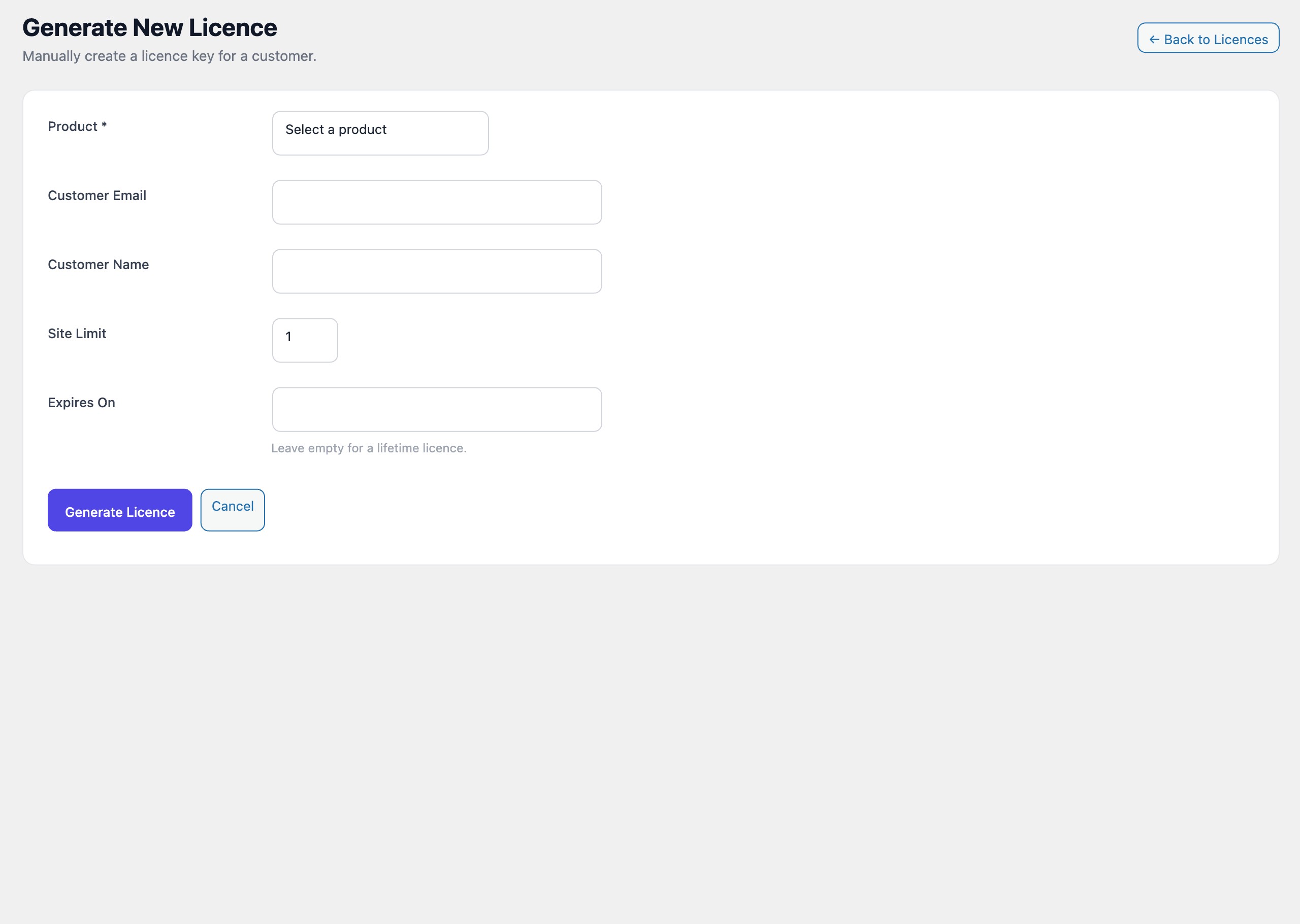
Navigate to LicenceForge > Licenses > Add New to open the manual license creation form. The form contains the following fields:
| Field | Type | Required | Default | Description |
|---|---|---|---|---|
product_id |
Select | Yes | — | The product this license grants access to. Only published products with at least one price tier are listed. |
customer_email |
Yes | — | The email address of the customer. Used for notifications and customer portal access. | |
customer_name |
Text | No | — | The display name of the customer. If left empty, the portion of the email before @ is used. |
activation_limit |
Number | No | 1 |
The maximum number of sites that can be activated concurrently. Minimum value is 1. |
expires_at |
Date | No | Empty | The date on which the license expires. Leave empty to create a lifetime license with no expiration. |
Note
When a product has multiple price tiers, the activation limit and expiration period from the selected tier are used as defaults. You can override these values on the form before submitting.
Key format
LicenceForge generates license keys in a four-segment format:
XXXX-XXXX-XXXX-XXXXEach segment consists of four characters drawn from a carefully selected character set:
23456789ABCDEFGHJKMNPQRSTUVWXYZThis character set deliberately excludes ambiguous characters to prevent customer confusion when reading or typing keys:
| Excluded character | Reason |
|---|---|
0 (zero) |
Easily confused with the letter O |
O (letter O) |
Easily confused with the digit 0 |
1 (one) |
Easily confused with I or L |
I (letter I) |
Easily confused with 1 or L |
L (letter L) |
Easily confused with 1 or I |
The resulting key space is 3016 (approximately 4.3 x 10²³) possible combinations, providing strong collision resistance without requiring a database uniqueness check on every generation (though one is still performed as a safeguard).
Generation algorithm
Keys are generated using PHP's random_bytes() function as the entropy source, ensuring cryptographically secure randomness. The raw bytes are mapped to the allowed character set using modular arithmetic:
$charset = '23456789ABCDEFGHJKMNPQRSTUVWXYZ';
$length  = 16;
$bytes   = random_bytes( $length );
$key     = '';

for ( $i = 0; $i < $length; $i++ ) {
    $key .= $charset[ ord( $bytes[ $i ] ) % strlen( $charset ) ];
}

// Format as XXXX-XXXX-XXXX-XXXX
$formatted = implode( '-', str_split( $key, 4 ) );
Secure storage
License keys are never stored in plaintext in the database. After generation, the key is hashed using HMAC-SHA256 with a site-specific secret before being written to the wplf_licenses table:
$hashed_key = hash_hmac( 'sha256', $formatted_key, $this->get_hmac_secret() );The HMAC secret is derived from the WordPress AUTH_KEY constant combined with a LicenceForge-specific salt stored in the wplf_hmac_salt option. This means:
- The plaintext key cannot be recovered from the database alone.
- Validation is performed by hashing the submitted key and comparing against the stored hash.
- A database breach does not expose usable license keys.
Important
Because keys are hashed before storage, there is no way to retrieve a lost key. If a customer loses their key, the only option is to rotate the key to generate a new one.
Post-creation display
Immediately after a license is created, the full plaintext key is displayed exactly once in the admin panel. The key appears in a highlighted box with a copy-to-clipboard button:
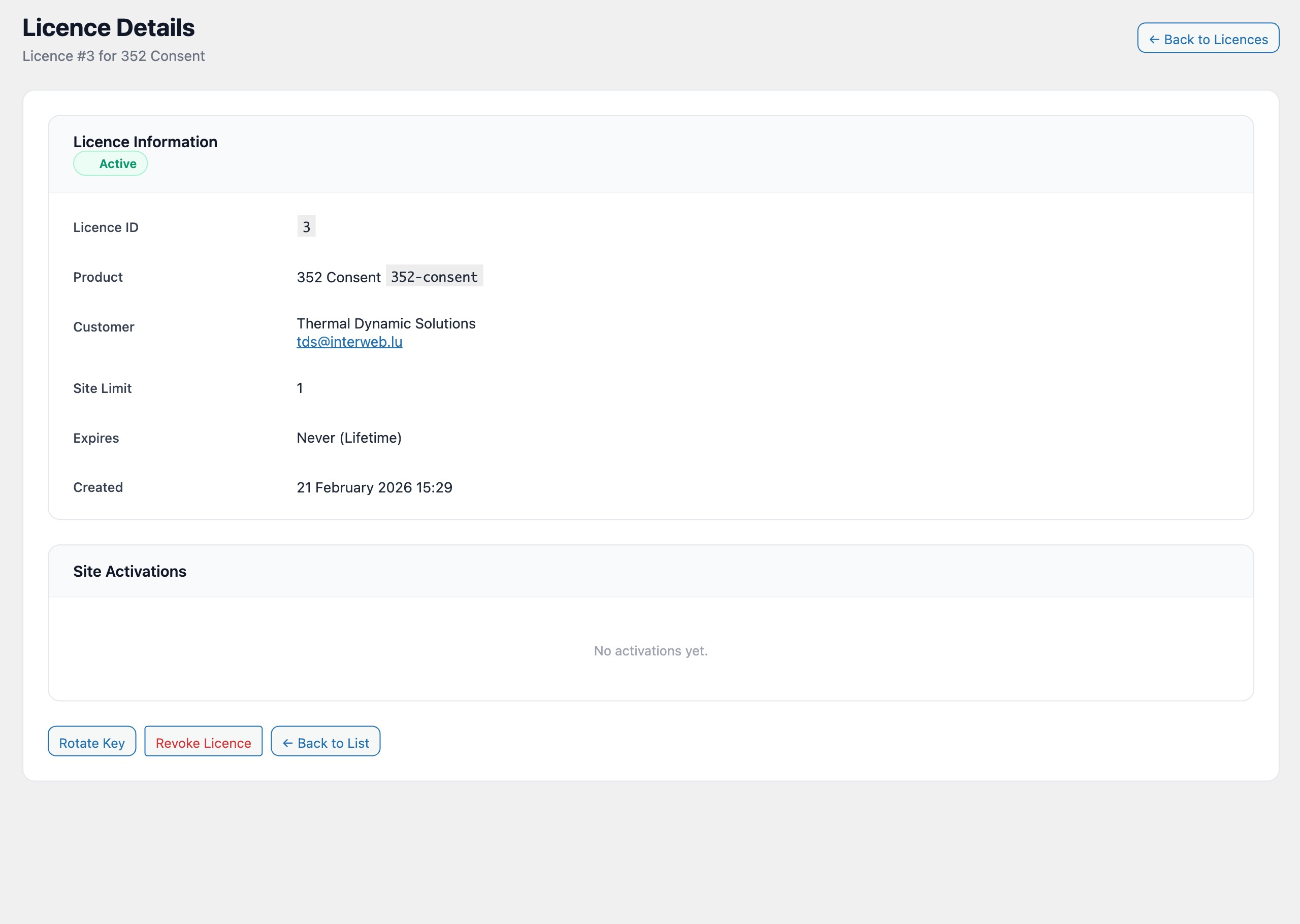
Once the administrator navigates away from this page, the key is no longer accessible in plaintext. All subsequent views of the license display only a masked version (e.g., ****-****-****-7FGH) showing the last four characters.
If the license was created through WooCommerce or Stripe, the plaintext key is included in the customer notification email and then discarded from memory. The email template can be customised under LicenceForge > Settings > Email Templates.
Programmatic creation
Licenses can also be created programmatically using the WPLF_License_Manager class:
$manager = wplf_get_license_manager();

$result = $manager->create_license( [
    'product_id'       => 42,
    'customer_email'   => '[email protected]',
    'customer_name'    => 'Jane Smith',
    'activation_limit' => 5,
    'expires_at'       => '2027-01-15',
] );

if ( is_wp_error( $result ) ) {
    // Handle error
    error_log( $result->get_error_message() );
} else {
    // $result contains 'license_id' and 'license_key' (plaintext, one-time access)
    $license_id  = $result['license_id'];
    $license_key = $result['license_key'];
}
Note
The license_key field in the return value is the only time the plaintext key is available programmatically. Store it or deliver it to the customer immediately. It cannot be retrieved later.