
Trials
LicenceForge supports per-product trial licences that let prospective customers evaluate your plugin or theme before purchasing. Trials are time-limited, enforce one trial per email address per product, and can be converted to paid licences.
Configuration
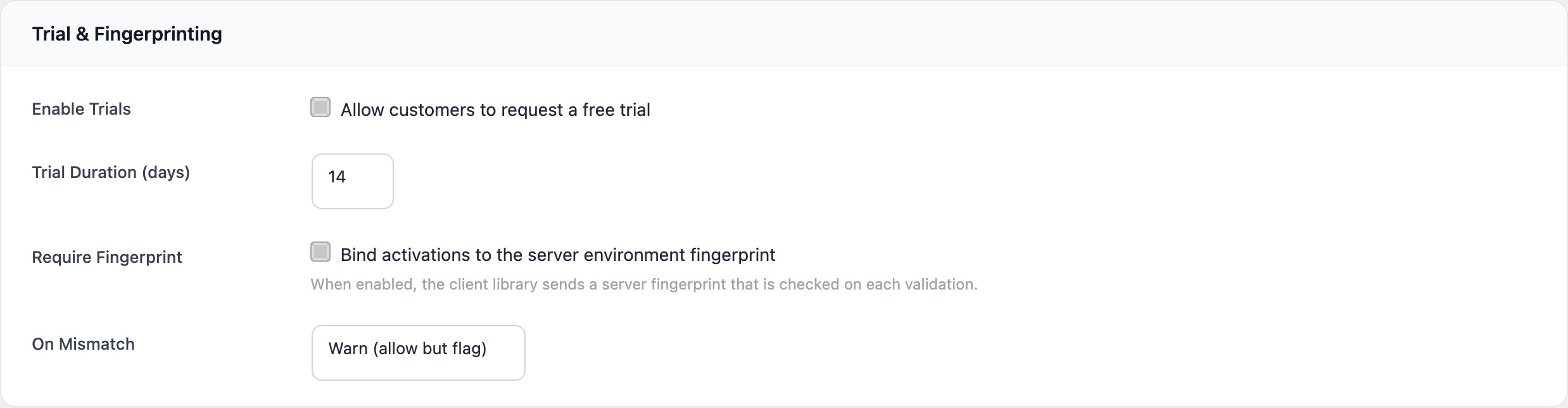
Trial settings are configured per product in the Trial & Fingerprinting section of the product form.
| Field | Type | Default | Description |
|---|---|---|---|
trial_enabled |
checkbox | false | Enable or disable trial licence creation for this product. |
trial_days |
number | 14 |
Duration of the trial in days. Minimum: 1, maximum: 365. |
Requesting a trial
Trial licences are created via the public REST API endpoint:
POST /wplf/v1/trials/request| Parameter | Type | Required | Description |
|---|---|---|---|
product_id |
integer | Yes | The ID of the product to create a trial for. |
email |
string | Yes | Customer email address. Used for one-per-email enforcement. |
name |
string | No | Customer name. |
Example request
curl -X POST https://example.com/wp-json/wplf/v1/trials/request \
  -H "Content-Type: application/json" \
  -d '{
    "product_id": 1,
    "email": "[email protected]",
    "name": "Jane Smith"
  }'
Success response
{
  "license_id": 42,
  "license_key": "XXXX-XXXX-XXXX-XXXX"
}
Error responses
| Error code | Meaning |
|---|---|
trials_disabled |
The product does not have trials enabled or the product does not exist. |
trial_exists |
A trial or licence already exists for this email and product combination. |
trial_creation_failed |
An internal error occurred during licence creation. |
Trial licence behaviour
Trial licences differ from standard licences in several ways:
| Property | Trial licence | Standard licence |
|---|---|---|
| Status | trial |
active |
| Price tier | price_id = 0 (no tier) |
Linked to a specific price tier |
| Activation limit | 1 site | Defined by the price tier |
| Expiry | Creation date + trial_days |
Based on billing cycle or lifetime |
| Features | None (no tier features) | Tier-specific feature flags |
Note
Since trial licences have price_id = 0 and no associated tier, has_feature() returns false for all features during the trial period. If you want trial users to access specific features, use the wplf_client_has_feature filter to grant them conditionally.
One trial per email enforcement
LicenceForge enforces a strict one-trial-per-email-per-product policy. Before creating a trial, the system checks for any existing licence (with status trial, active, or expired) matching the email and product combination. If a match is found, the request is rejected with the trial_exists error.
Warning
This enforcement uses the customer_email field. It does not prevent a user from requesting trials with different email addresses. For stricter enforcement, consider additional validation at your application layer.
Converting trials to paid
When a trial customer purchases a licence, the trial can be converted to an active paid licence using the WPLF_License_Service::convert_trial() method. This preserves the existing licence key and activation history.
$result = WPLF_License_Service::convert_trial(
    $license_id,   // The trial licence ID
    $price_id,     // The purchased price tier ID
    $period_end    // New expiry date, or null for lifetime
);
The conversion updates the following fields on the licence record:
price_id— set to the purchased tierstatus— changed fromtrialtoactiveactivation_limit— updated to match the tier's limitcurrent_period_end— set to the new expiry date
Important
Only licences with status trial can be converted. Attempting to convert a licence with any other status returns an invalid_status error.
Trial lifecycle
- Customer requests a trial via
POST /wplf/v1/trials/request. - LicenceForge verifies the product has trials enabled and no existing licence exists for the email.
- A licence with status
trialis created withactivation_limit = 1and an expiry oftrial_daysfrom now. - The customer activates the licence on their site and uses the plugin during the trial period.
- When the trial expires, the licence status transitions to
expiredduring the next cron run. - If the customer purchases before or after expiry,
convert_trial()upgrades the licence toactivewith the purchased tier's settings.